

If you already have a GHL account, kindly follow the guide below, if not, reachout to your Adstract Digital Account Manager for more information.
1. Log in and Go to Settings
- Log in to your GoHighLevel account
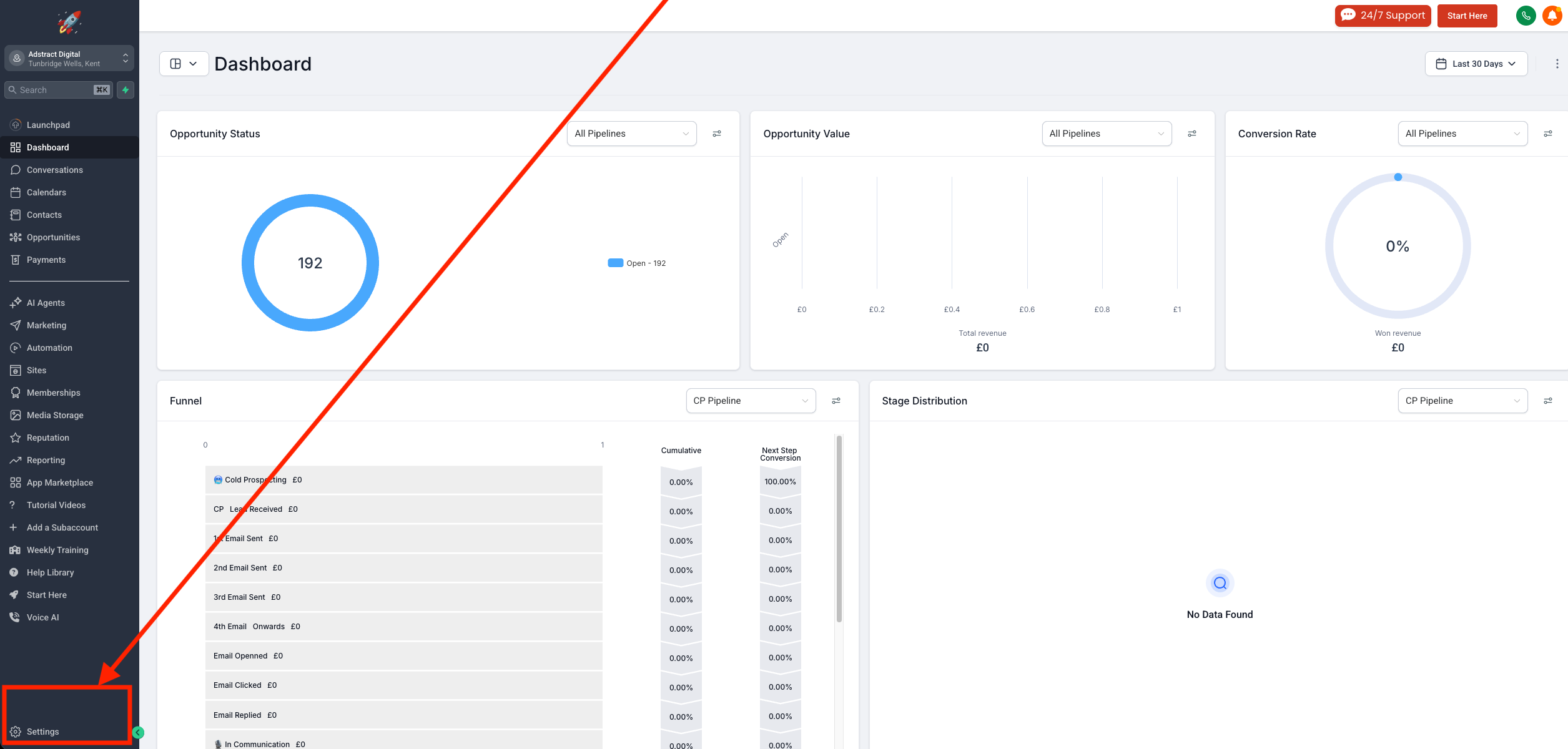
- From the dashboard, click on Settings (usually in the bottom-left corner)
2. Open “My Staff”
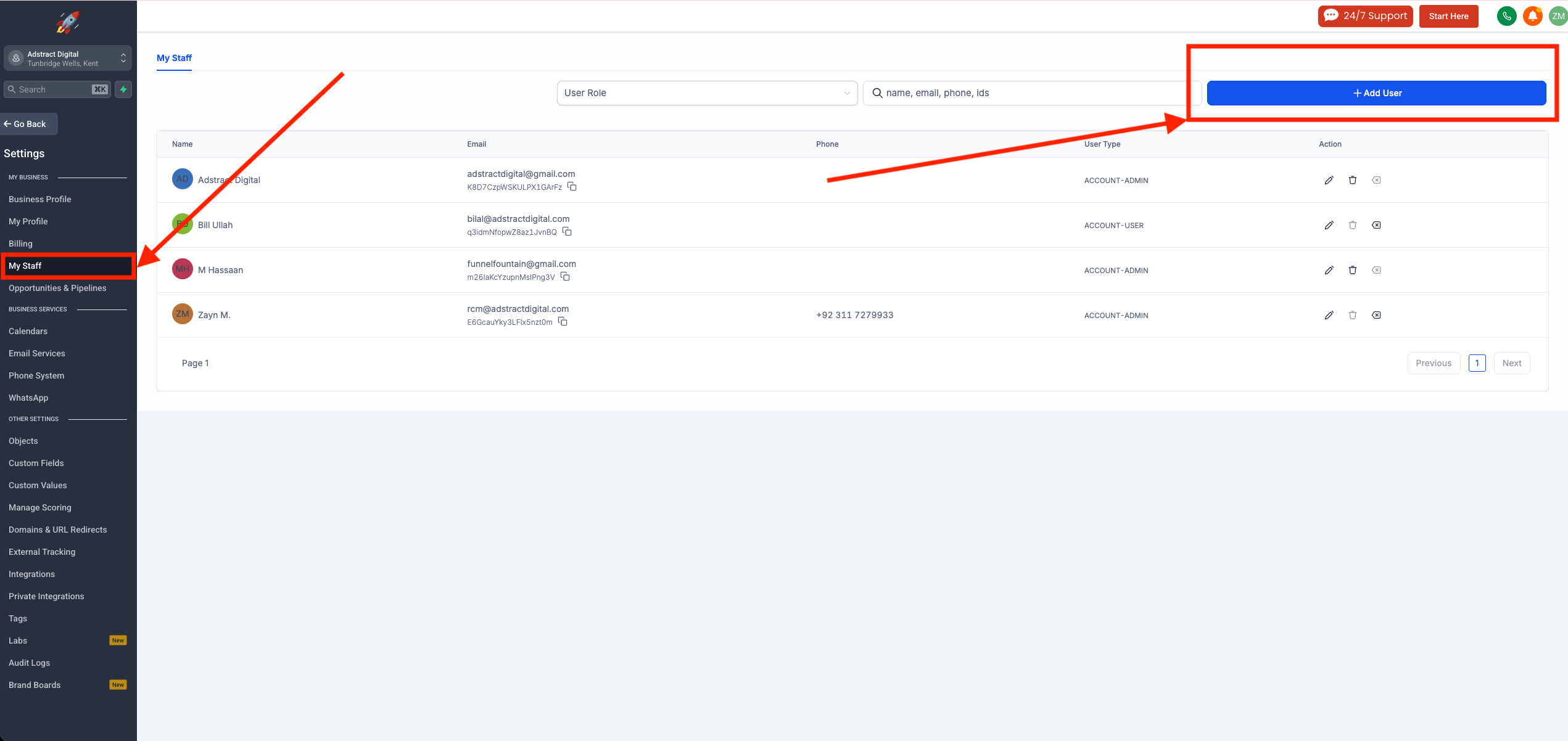
- Inside Settings, click on My Staff
3. Add a New User
- Click on the “Add User” button
4. Enter User Details
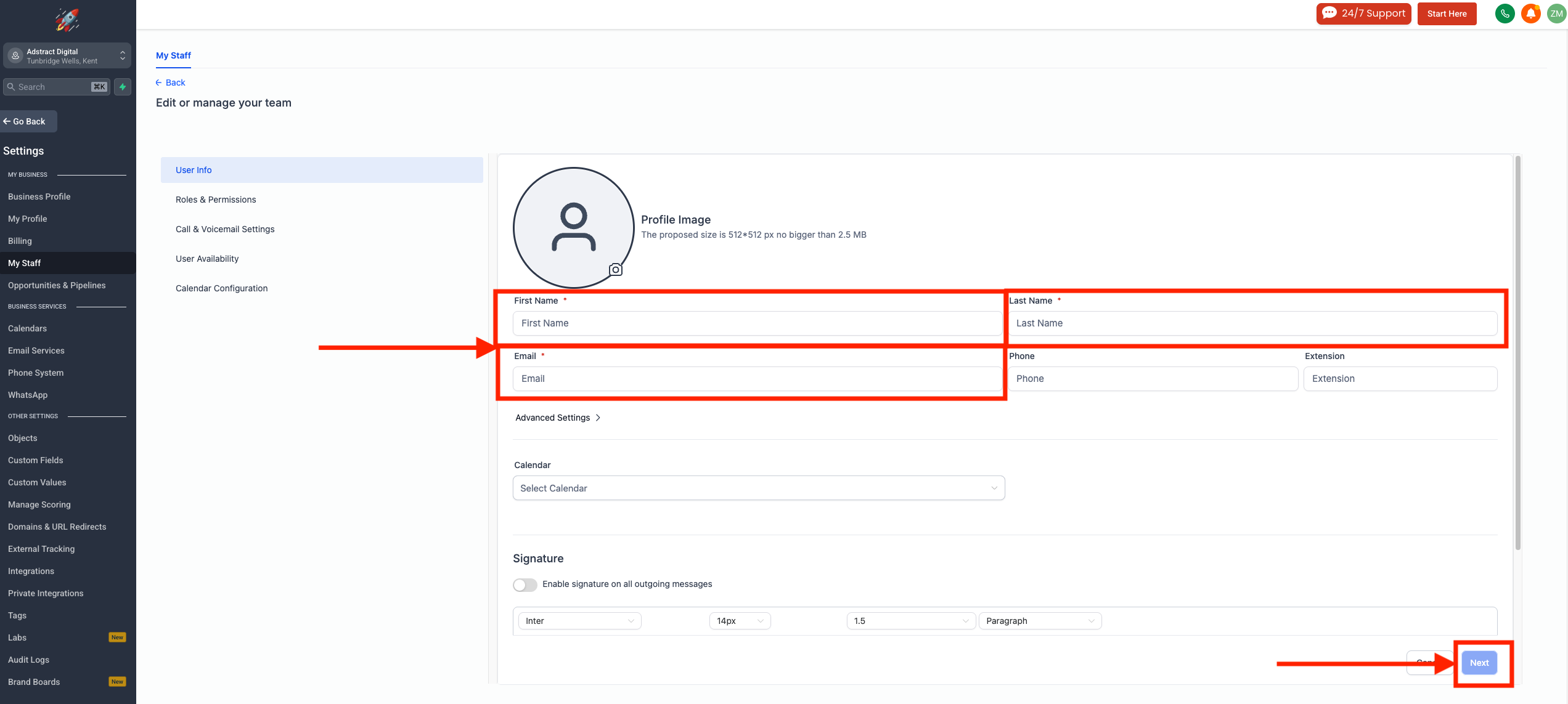
Fill in the following information:
- First Name: Team
- Last Name: Abstract
- Email: [email protected]
👉 You do NOT need to change anything in Advanced Settings
Click Next
5. Assign Roles & Permissions
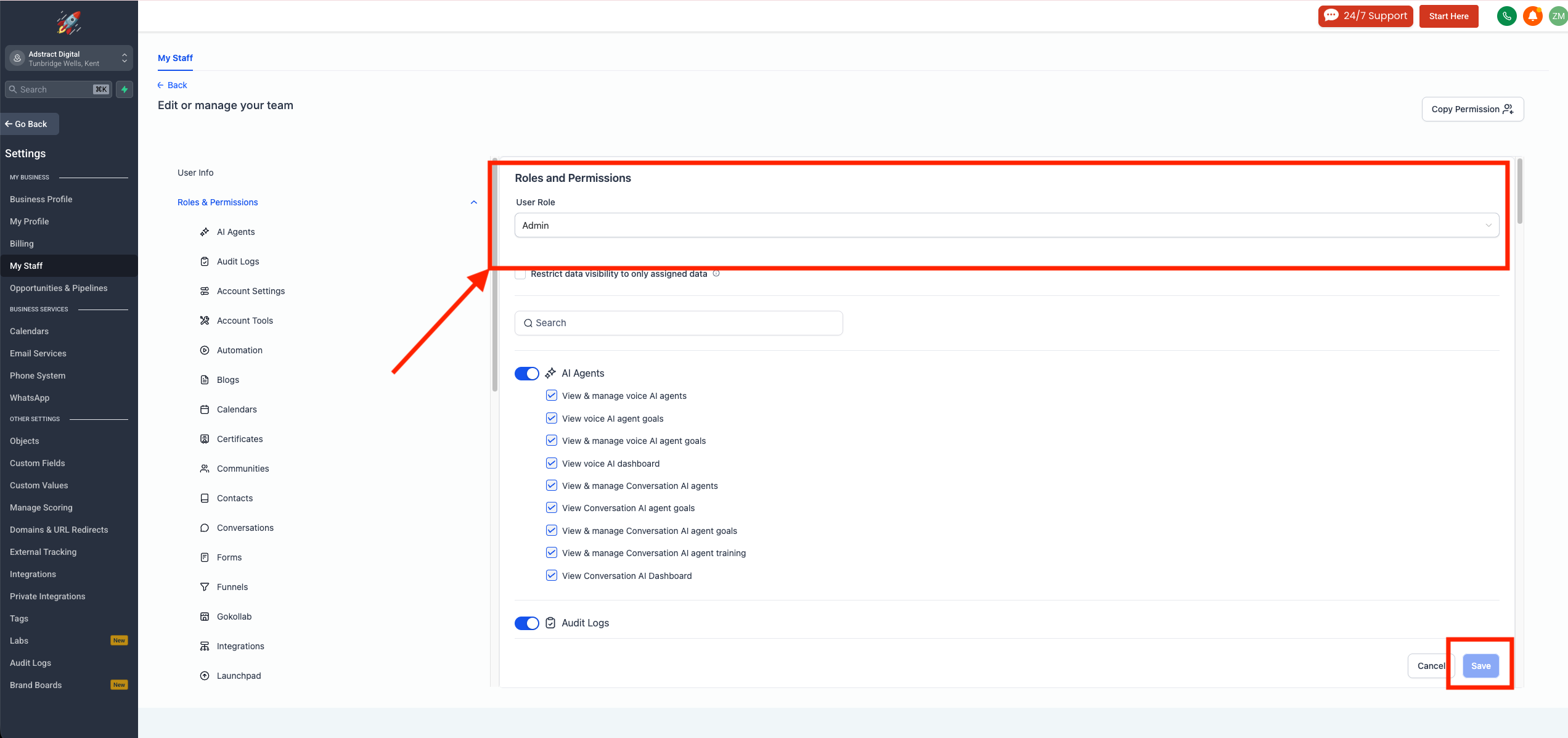
- Set User Role to: Admin
- Make sure ALL permissions/sections are checked
6. Save the User
- Click Save to complete the process
7. Repeat for Additional Users
- Repeat the same steps for any additional email addresses you’ve been provided (if any)
- Ensure each user is assigned:
- Admin role
- All permissions enabled