

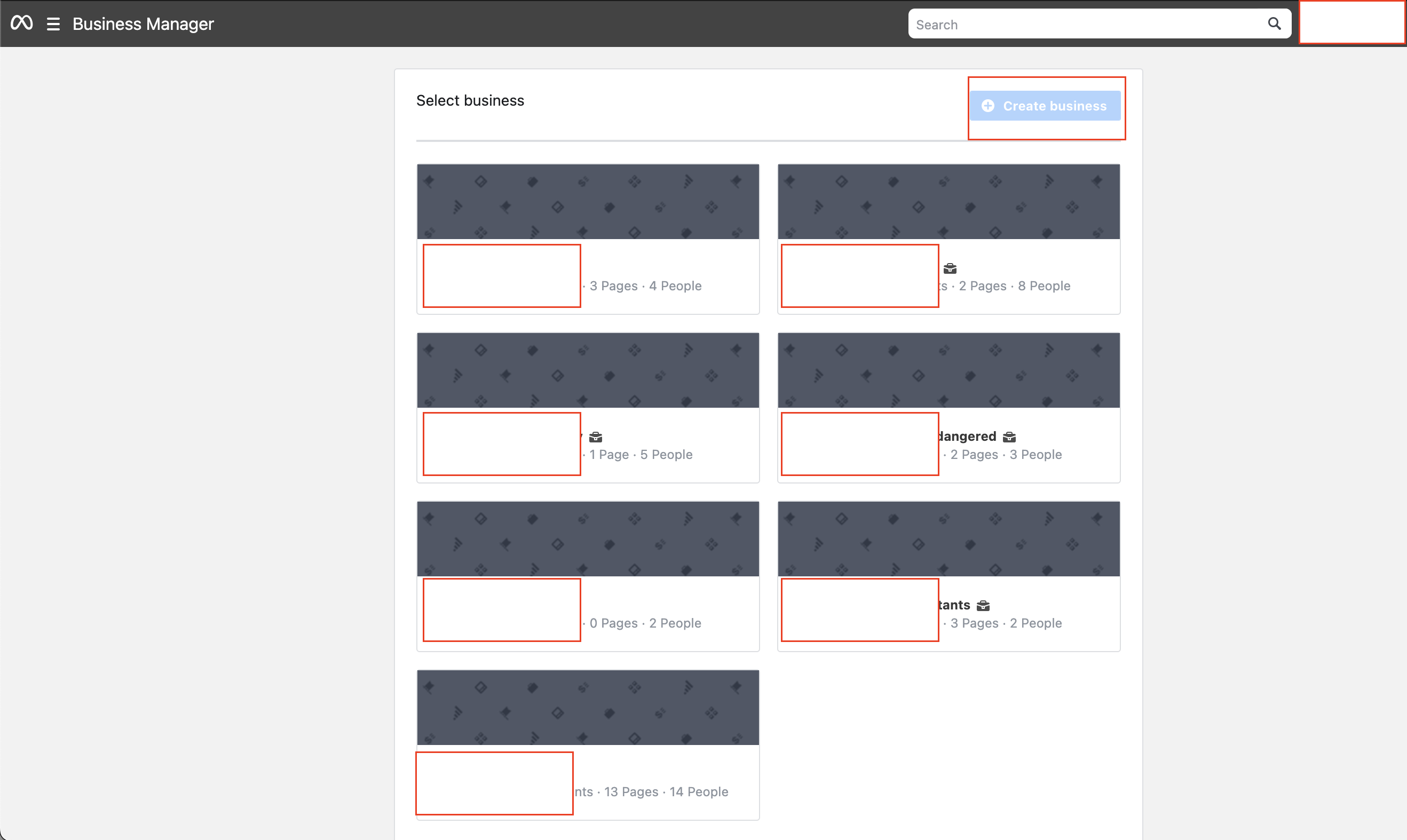
1. Access Meta Business Settings here and click on the Business Manager you want to open
- If you haven’t created a Meta Business Manager yet, you can do so by clicking on the top right button that says ‘Create business’
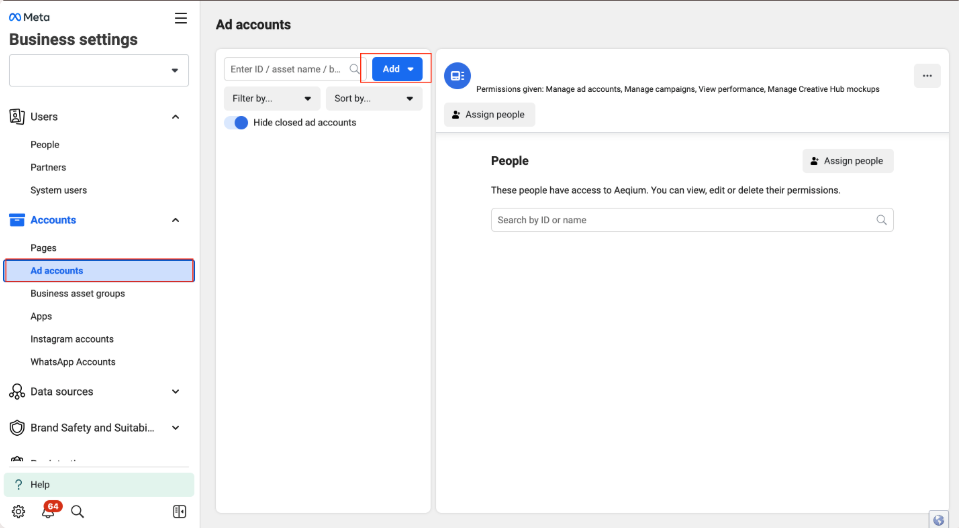
2. Click the “Ad accounts” section on the left-hand side and then click on “Add” to link an existing ad account to your Business Manager, or to create a new ad account.
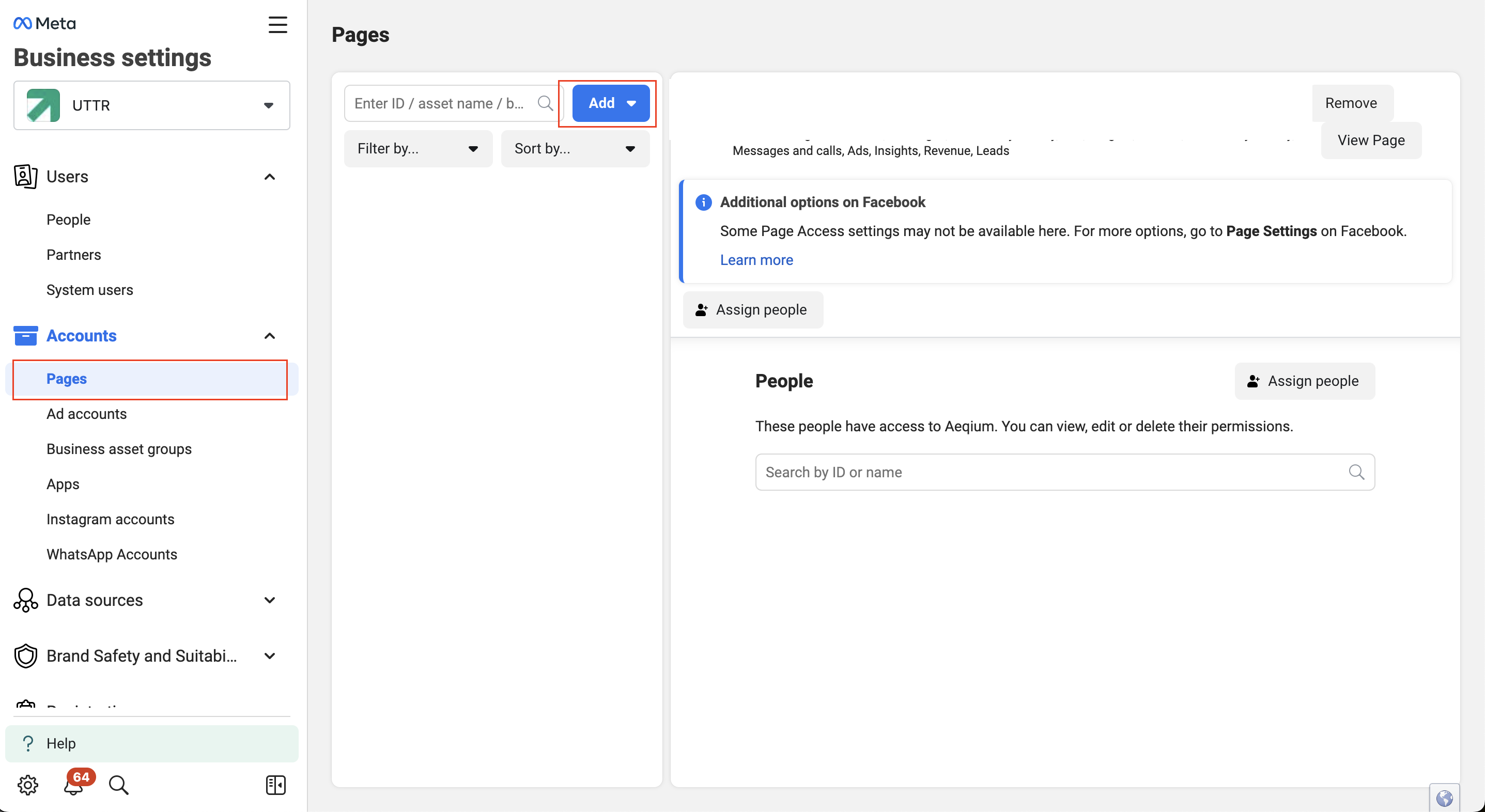
3. Click the “Pages” section on the left-hand side and click “Add” to link an existing page to your Business Manager, or create a new one
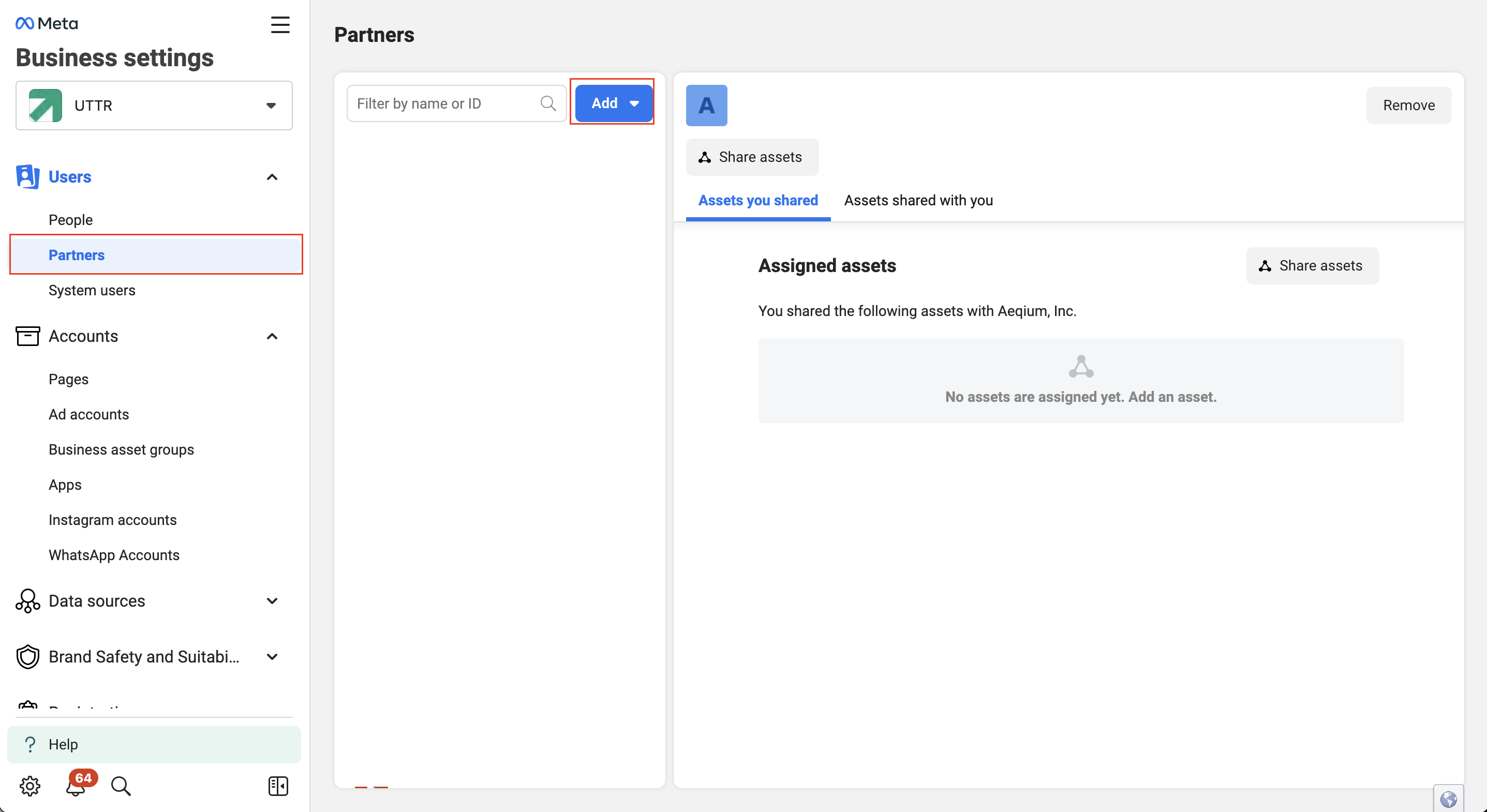
4. Click on the “Partners” section on the left-hand side and click “Add” and select “Give a partner access to your assets” to enter Adstract’s Business Manager ID: 2995770630653138 then click NEXT
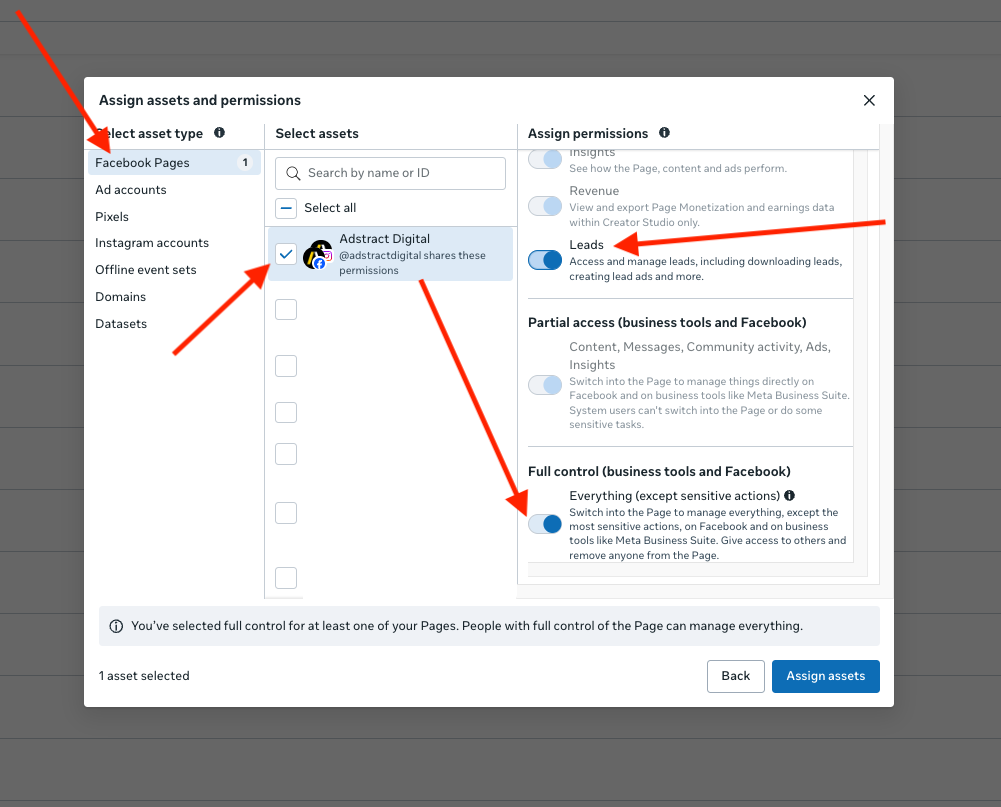
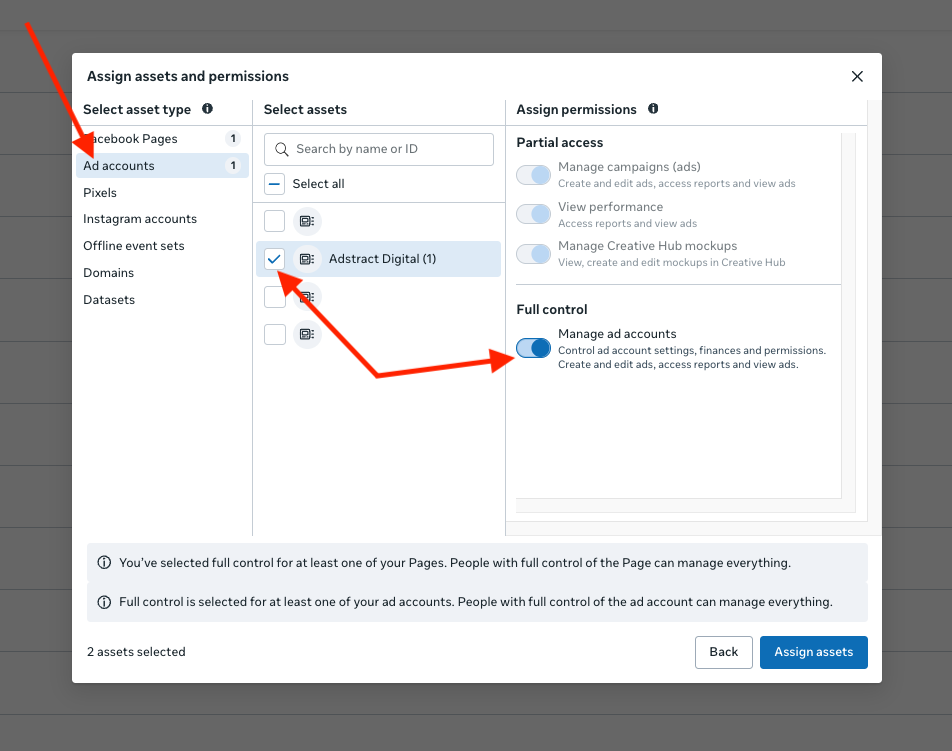
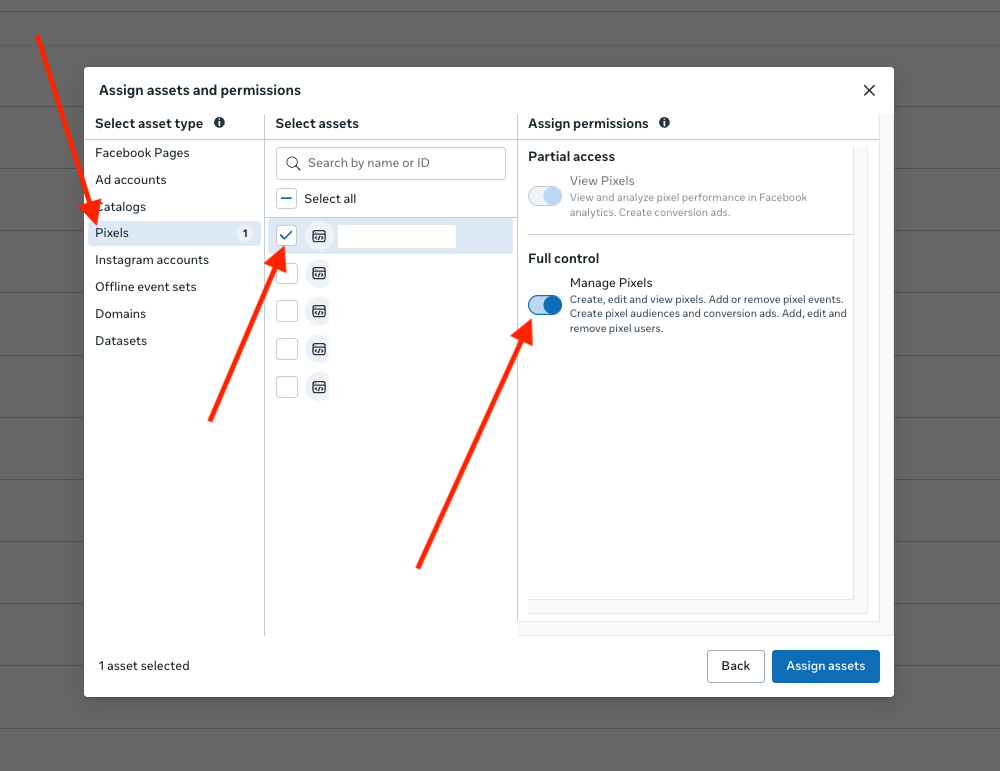
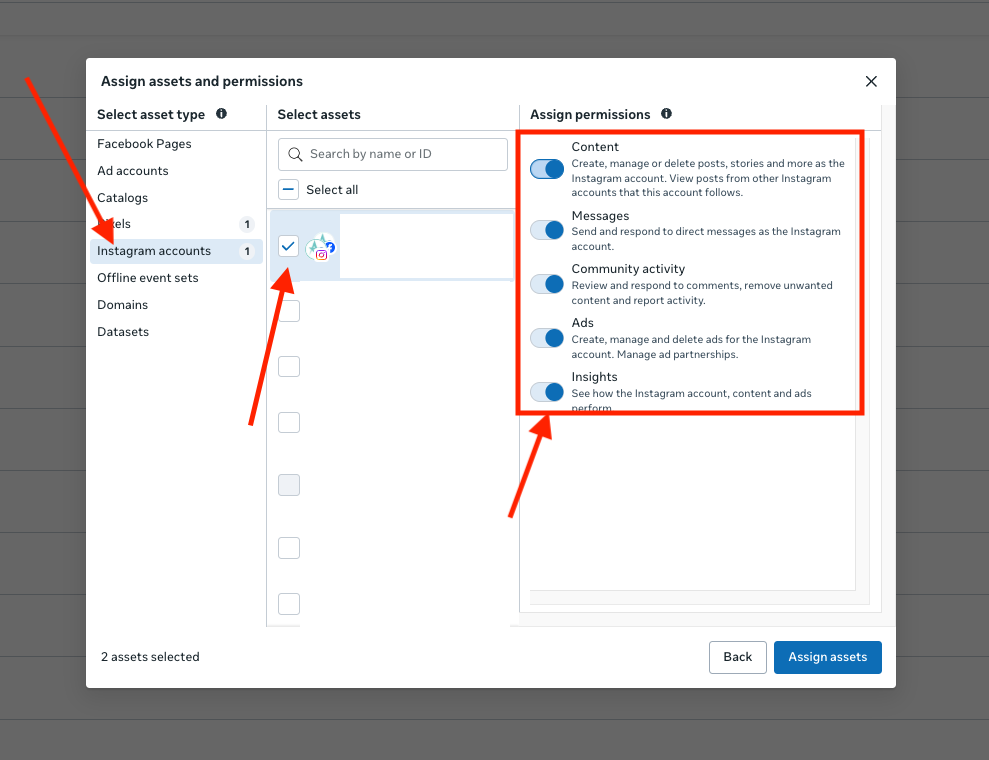
5. Select All your options one by one as shown below.
a) Select all your Pages and Grant “Full Access” and dont forget to enbale “Leads”, after doing so move to “Ad Accounts” section. (NOTE: DONOT CLICK “ASSIGN ASSETS UNTIL THE LAST SCREENSHOT)
b) Move to the “Ad Accounts” section and Select your Ad Account and Grant “Full Access”
b) Move to the “Pixel” Section & If you have a “Pixel” select it and and Grant “Full Access”
c) Move to the “Instagram Account” section, and select all your Instagram accounts, then grant “Full Access”
d) Move to the “Datasets” section, and if you see a dataset, Select All the Datasets, and then grant “Full Access”.
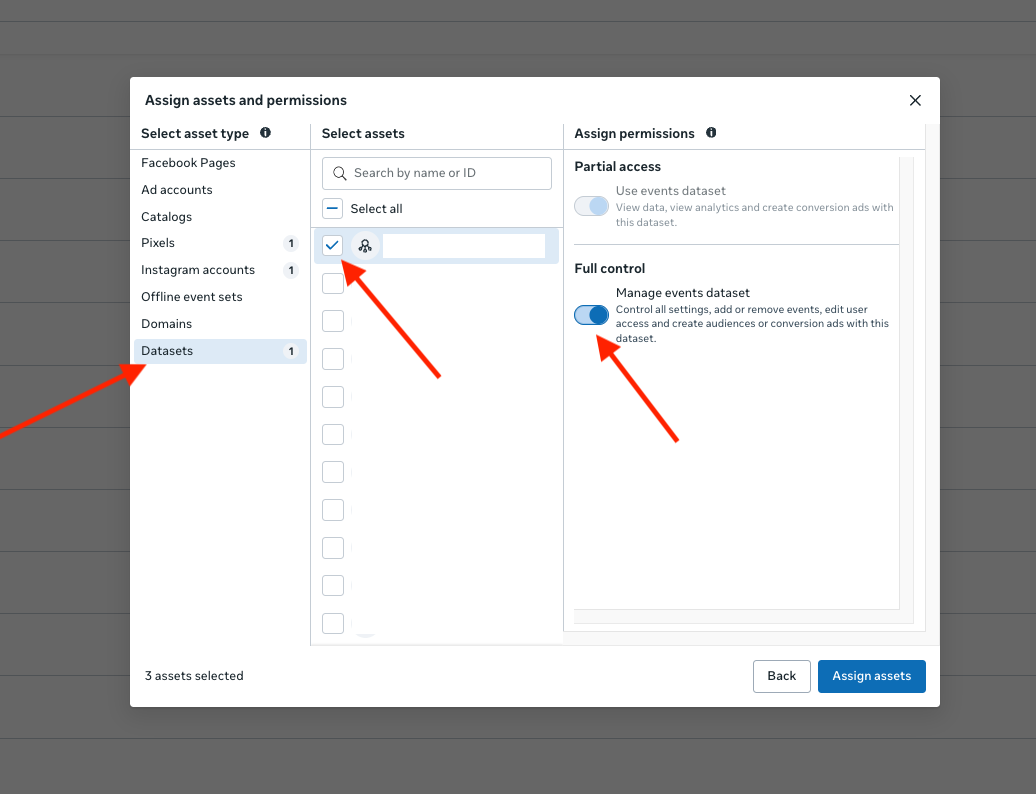
LAST STEP: Click “Assign Assets” and proceed.